
Terminal Tabs
Terminal tabs provide command-line access to containers in your lab. They’re essential for hands-on tasks that require users to run commands, edit files, or interact with services.
Creating a Terminal Tab
Section titled “Creating a Terminal Tab”To create a terminal tab:
- Navigate to the Tabs section in your lab editor
- Click Add Tab and select Terminal from the dropdown
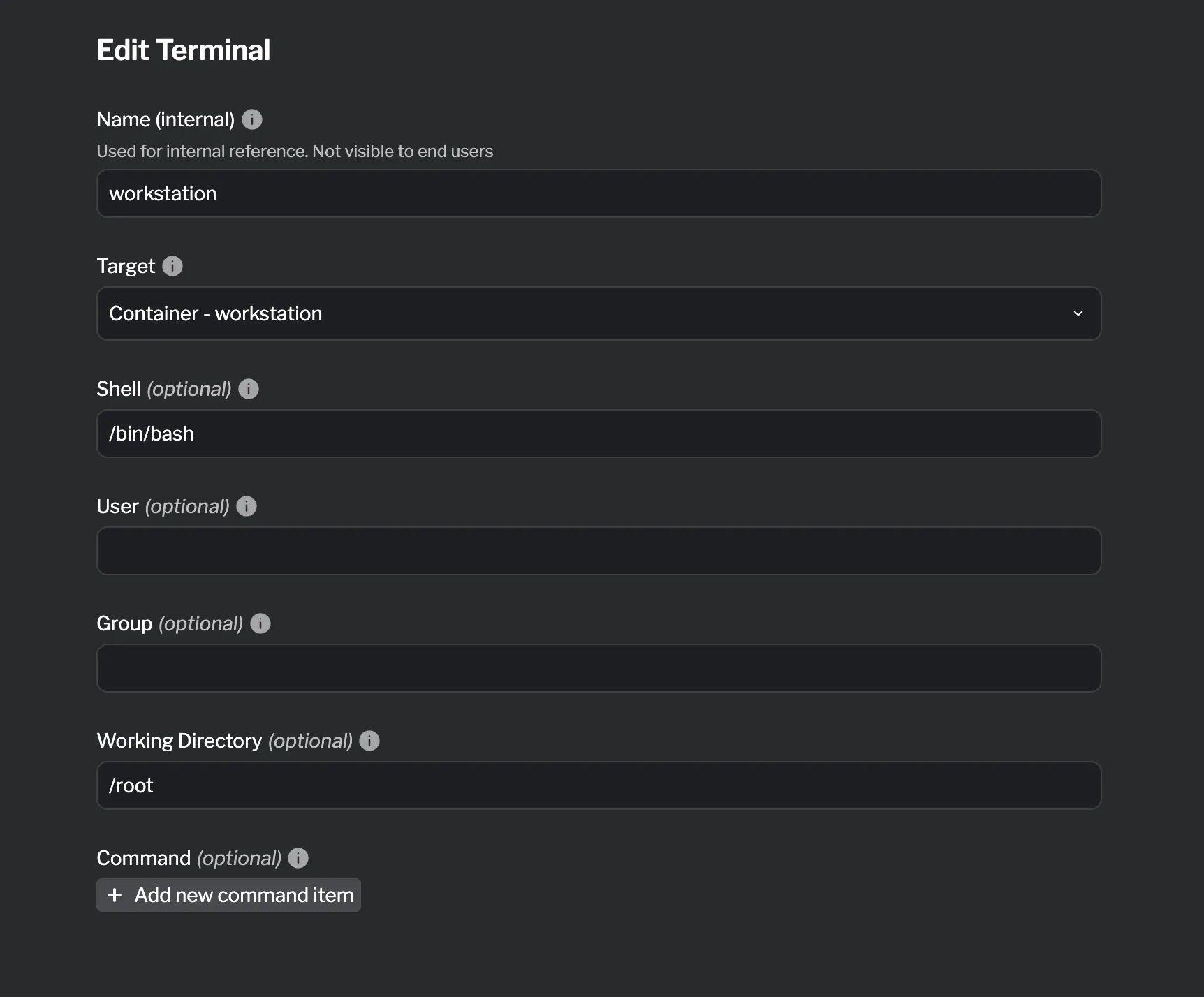
- Configure the terminal settings
Supported Fields
Section titled “Supported Fields”| Field | Required | Description |
|---|---|---|
| Name (internal) | ✓ | Used for internal reference. Not visible to end users |
| Target | ✓ | Container to attach the terminal to |
| Shell | Shell program to use (default: /bin/sh) | |
| User | User to run terminal as (default: root) | |
| Group | Group to run terminal as (default: root) | |
| Working Directory | Initial working directory (default: /) | |
| Command | Command to execute instead of interactive shell |
Reference
Section titled “Reference”For detailed HCL reference information, see the Terminal Reference.