
Cloud Credentials Tabs
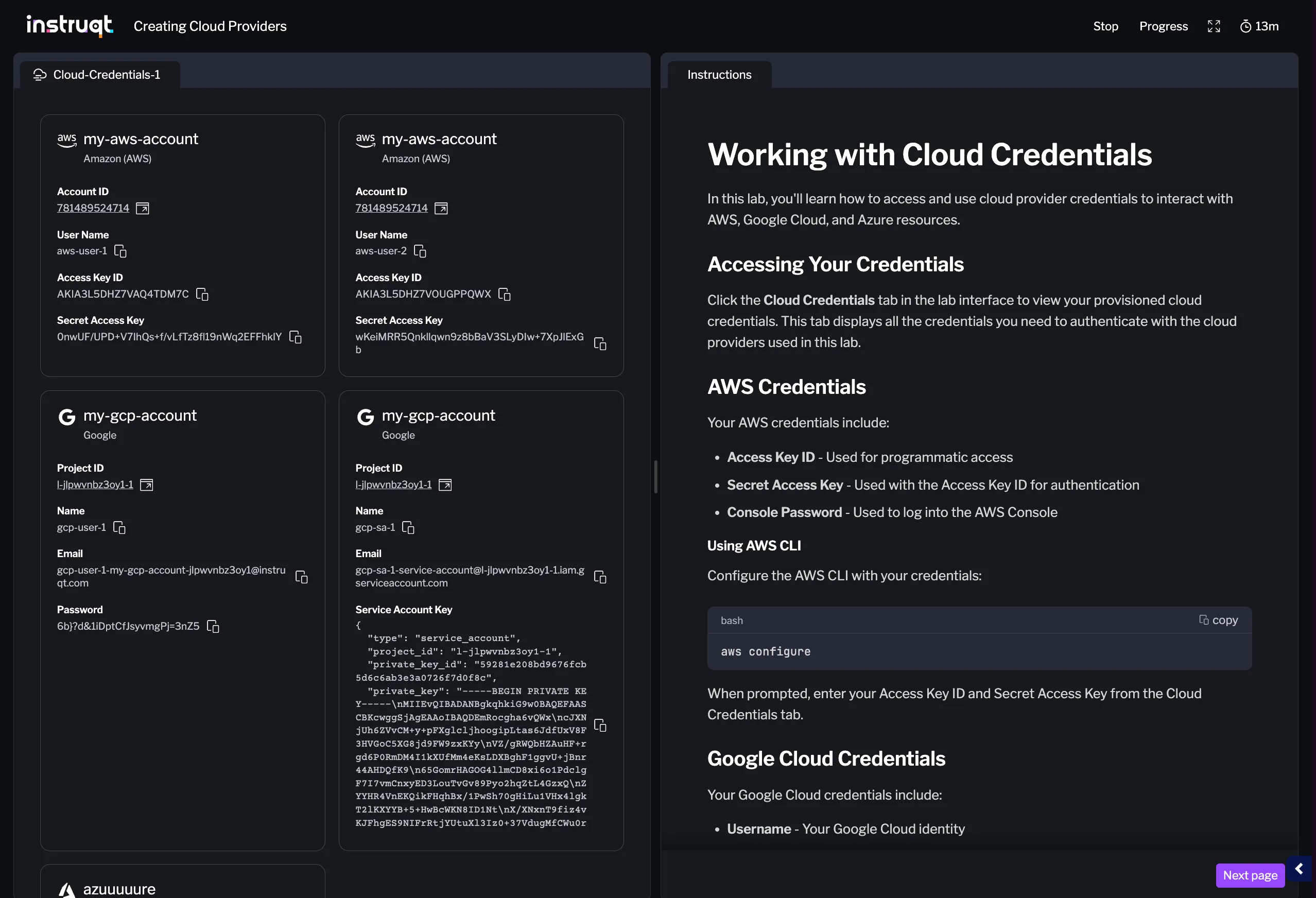
Cloud Credentials tabs display cloud provider credentials in your lab interface, giving users easy access to AWS, Google Cloud, and Azure credentials. This tab type consolidates credentials from multiple cloud provider resources into a single, convenient view.
Use Cloud Credentials tabs when your lab includes cloud provider resources and you want to provide users with a dedicated panel showing their access credentials.
Creating a Cloud Credentials Tab
Section titled “Creating a Cloud Credentials Tab”To create a Cloud Credentials tab:
- Navigate to the Tabs section in your lab editor
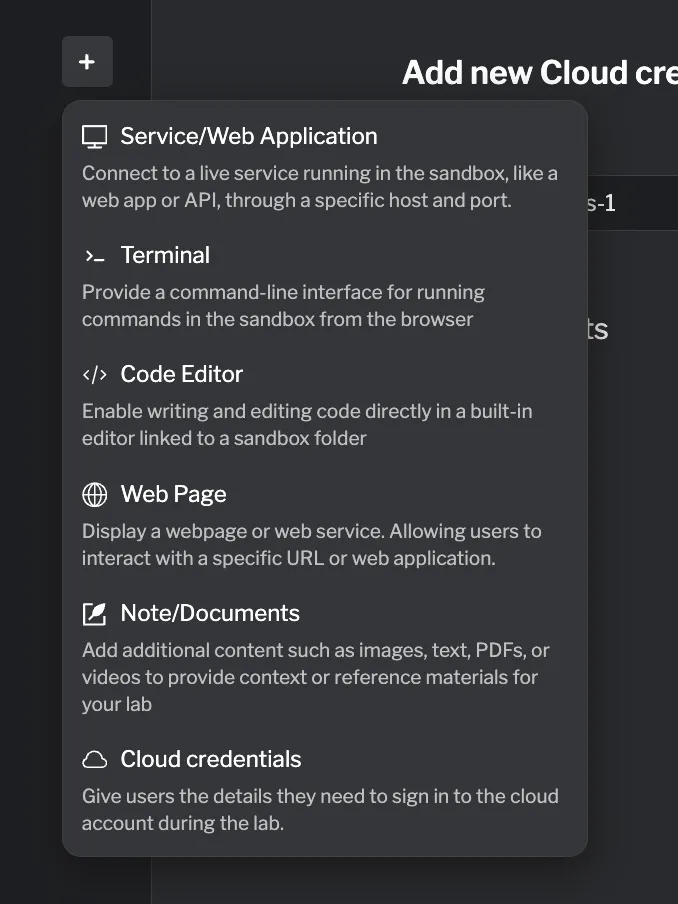
- Click Add Tab and select Cloud Credentials from the dropdown
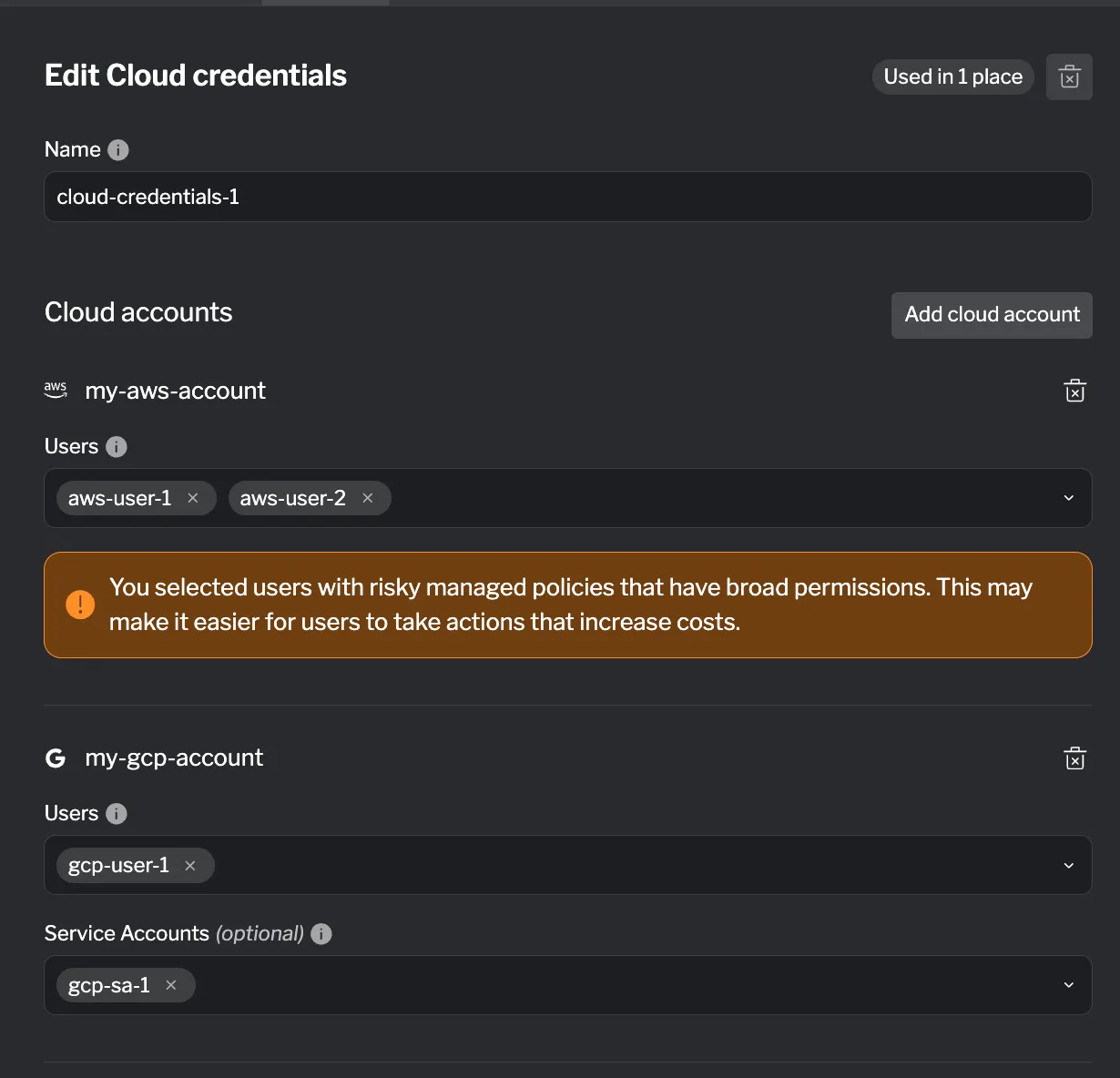
- Add one or more provider blocks to specify which credentials to display
Supported Fields
Section titled “Supported Fields”| Field | Required | Description |
|---|---|---|
| Name (internal) | ✓ | Used for internal reference. Not visible to end users |
You must configure at least one provider block to display credentials.
Provider Blocks
Section titled “Provider Blocks”Cloud Credentials tabs support three provider block types, corresponding to the cloud providers available in Instruqt.
AWS Account Block
Section titled “AWS Account Block”Display credentials from an AWS Account resource.
| Field | Required | Description |
|---|---|---|
| Target | ✓ | The AWS Account resource to display credentials from |
| Users | ✓ | List of IAM user names whose credentials should be displayed |
Google Project Block
Section titled “Google Project Block”Display credentials from a Google Cloud Project resource.
| Field | Required | Description |
|---|---|---|
| Target | ✓ | The Google Project resource to display credentials from |
| Users | List of user names whose credentials should be displayed | |
| Service Accounts | List of service account names whose credentials should be displayed |
Azure Subscription Block
Section titled “Azure Subscription Block”Display credentials from an Azure Subscription resource.
| Field | Required | Description |
|---|---|---|
| Target | ✓ | The Azure Subscription resource to display credentials from |
| Users | List of user names whose credentials should be displayed | |
| Service Principals | List of service principal names whose credentials should be displayed |
Validation Rules
Section titled “Validation Rules”- At least one provider block (
aws_account,google_project, orazure_subscription) is required - For AWS Account blocks, at least one user must be specified
- For Google Project blocks, at least one user OR service account must be specified
- For Azure Subscription blocks, at least one user OR service principal must be specified
- All user/account names must match names defined in the target cloud provider resource
Example Configuration
Section titled “Example Configuration”A Cloud Credentials tab displaying credentials from multiple cloud providers:
- AWS credentials for a “student” user
- Google Cloud credentials for a “developer” user and a service account
- Azure credentials for an “admin” user
Reference
Section titled “Reference”For detailed HCL reference information, see the Cloud Credentials Reference.