
Researching a Company
Company research is usually the first thing you do in the research workflow. You give Instruqt a company’s website, and an AI agent crawls public sources to compile a profile covering the business, its domain knowledge, and its brand style. That profile becomes context for generating labs.
Start a company research run
Section titled “Start a company research run”- Go to Research in the management interface and open the Companies tab.
- Click + Research and choose Research Company.
- In the Add company dialog, fill in the form (see Intake form below).
- Click Add company.
You’re taken straight to the company’s detail page, where you can watch the research run as the agent writes it.
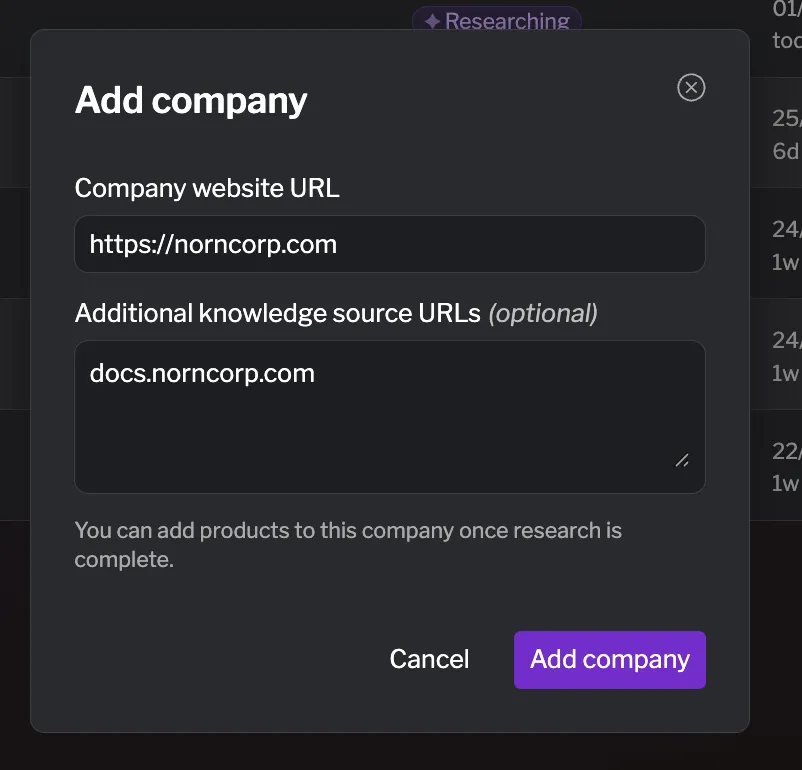
Intake form
Section titled “Intake form”| Field | Required | Description |
|---|---|---|
| Company website URL | ✓ | The company’s primary website, for example example.com. This is the main source the agent crawls, and it’s used to derive the company name. You don’t need to include https://. |
| Additional knowledge source URLs | Other public URLs worth crawling — documentation, a blog, a product site — one per line (for example docs.example.com and blog.example.com). Use these to point the agent at richer sources than the homepage alone. |
What happens during research
Section titled “What happens during research”Once you submit the form, the AI agent provisions a session and begins crawling the URLs you provided. While the status is Researching, documents stream into the editor as the agent writes them. A company profile typically includes:
- Company Research — the core profile: what the company does, its domain, and key business context.
- Style Guide — brand and voice information used to keep generated labs on-brand.
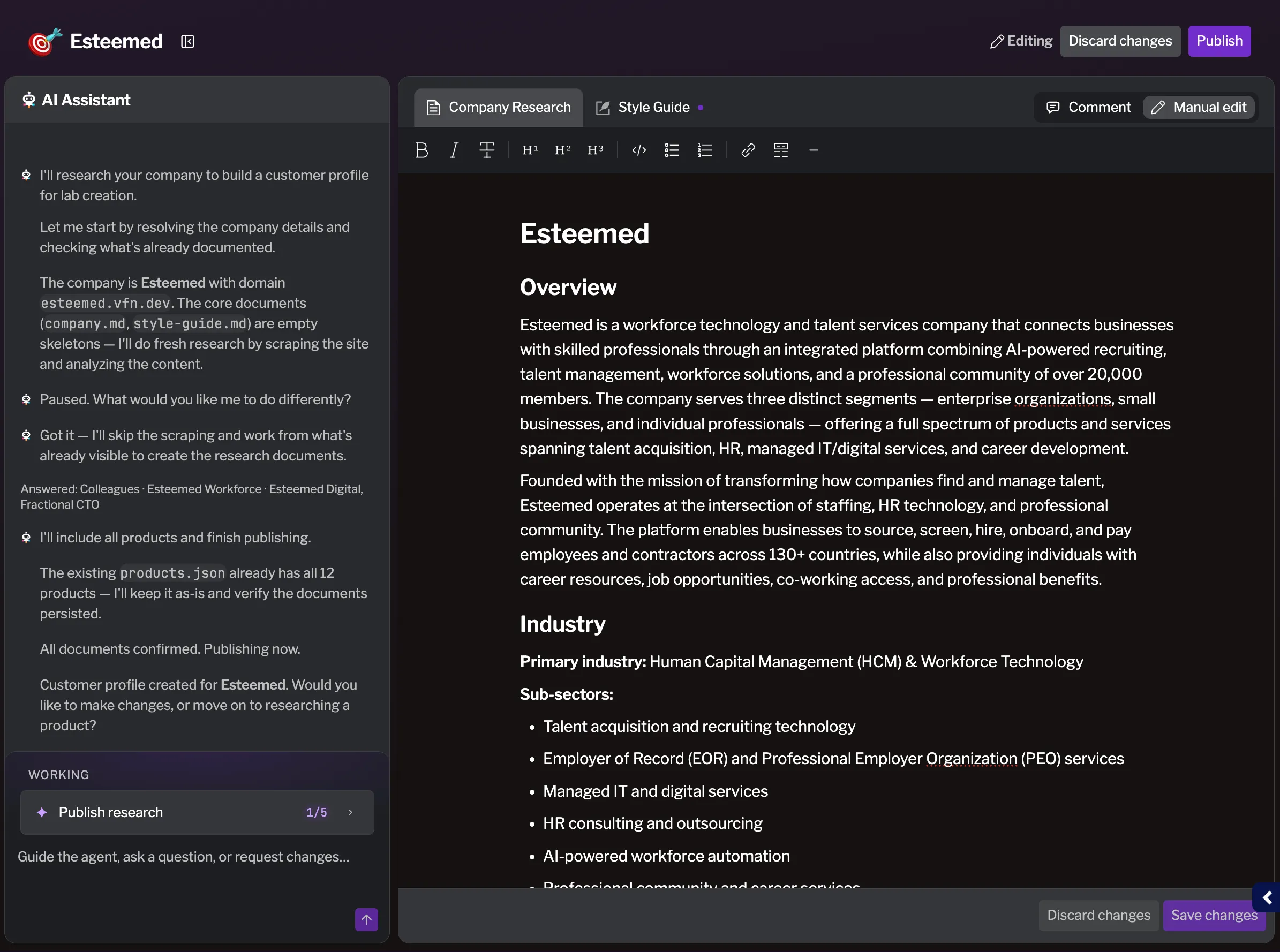
Automatic product discovery
Section titled “Automatic product discovery”While researching a company, the agent can identify related products and automatically create product research items for them. Discovered products appear nested under the company on the Companies tab. You can research these further, or add your own — see Researching a product.
Best practices
Section titled “Best practices”- Start from the most informative URL — the homepage is fine, but a docs or product site often gives the agent richer material to work with.
- Add knowledge sources deliberately — a few high-signal URLs (documentation, blog, product pages) produce a better profile than the homepage alone.
- Review before publishing — always read the generated profile and correct anything inaccurate before publishing. The AI relies on this content for every lab it generates.
- Let discovery do the work — check the products the agent discovered before adding products manually, to avoid duplicates.