
Researching a Product
Product research focuses the AI on a specific product. While company research provides broad business context, product research captures the details of the thing your lab actually teaches. A product can belong to a company or stand on its own.
Start a product research run
Section titled “Start a product research run”- Go to Research in the management interface.
- Click + Research and choose Research Product.
- In the Add product dialog, fill in the form (see Intake form below).
- Click Add product.
The product is created and you’re returned to the research list.

Intake form
Section titled “Intake form”| Field | Required | Description |
|---|---|---|
| Product name | ✓ | The product’s name, for example Docker Engine. |
| Product URL | A public URL for the product, for example docker.com/engine. Helps the agent find relevant material and is shown in the product list. |
|
| Parent | Whether the product belongs to a company or is standalone (see below). |
Choosing a parent
Section titled “Choosing a parent”The Parent selector controls where the product appears and what it’s associated with:
- Belongs to a company — search for and select an existing company research item.
- Standalone — the product has no parent company and appears on its own on the Products tab.
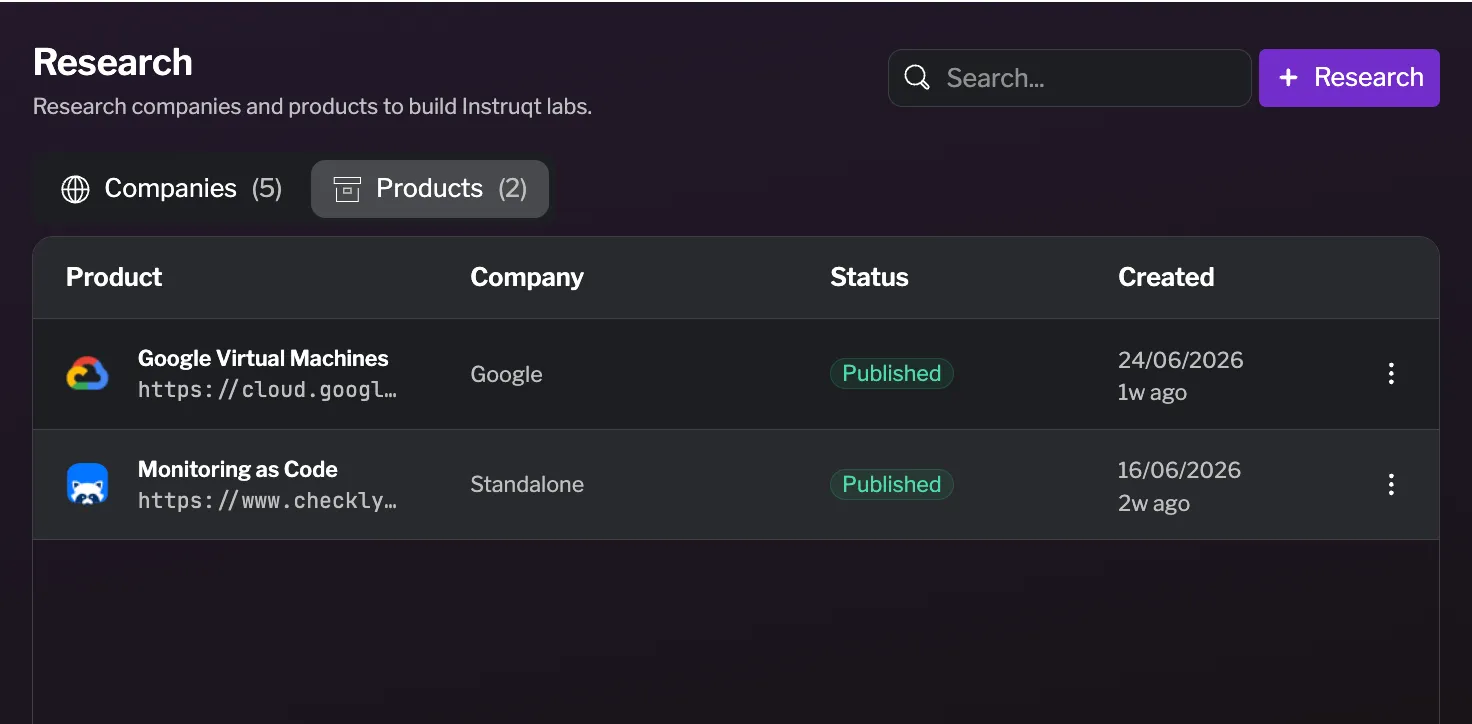
What happens during research
Section titled “What happens during research”As with company research, the AI agent provisions a session and crawls the product name and URL you provided. The status moves to Researching while the agent writes the product profile, and the generated documents stream into the editor as they’re produced.
Best practices
Section titled “Best practices”- Attach products to their company when you can — products that belong to a company inherit its context, which produces more accurate and on-brand labs.
- Provide a product URL — even though it’s optional, a good URL gives the agent material to work from beyond the name.
- Review before publishing — read and correct the generated profile before publishing.